What Makes a Website Look Professional?
In today’s digital world, a website is often the first point of contact between a business and its potential customers. Before choosing a product or service, people usually visit a company’s website to learn more about the business, explore its offerings, and decide whether it is trustworthy. This is why understanding What Makes a Website Look Professional? is important for every business that wants to create a strong online presence and attract potential customers.
A professional website is more than just an attractive design. It combines a clean layout, easy navigation, engaging content, suitable colours, readable typography, and a smooth user experience. Whether you are a small business owner, entrepreneur, or established company, having a well-designed website can make a significant difference. Working with the Best Freelance Digital Marketer In Malappuram can also help businesses improve their online visibility, create an effective digital strategy, and develop a professional online presence.
In this blog, we will explore the essential elements of professional website design and understand how businesses can create websites that attract visitors, build trust, and encourage customers to take action.
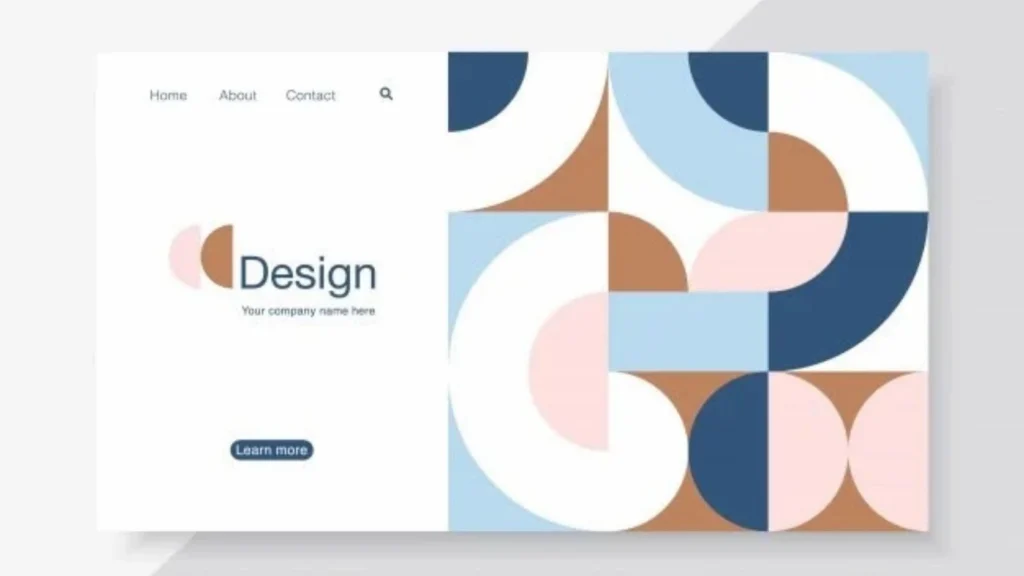
1. Clean and Attractive Website Layout
One of the first things visitors notice when they open a website is its overall layout. A clean and organised design makes a website visually appealing and helps visitors understand the information easily.
A website with too many elements, unnecessary decorations, and crowded sections can make users feel confused. On the other hand, a simple and well-structured layout creates a professional impression.
To achieve a clean website layout:
Use sufficient white space between sections.
Maintain consistent spacing and alignment.
Avoid unnecessary design elements.
Organise content into clear sections.
Use a balanced combination of images and text.
A good layout should guide visitors naturally from one section to another without overwhelming them with too much information.
2. Consistent Colours and Typography
Colours and typography play an important role in creating a professional website. They influence how visitors perceive your brand and contribute to its overall visual identity.
Choose a colour palette that represents your business personality. For example, blue can communicate trust and professionalism, while black and white can create a modern and elegant appearance.
Typography is equally important. Using too many different fonts can make your website look unorganised and inconsistent.
For better results:
Choose two or three complementary colours.
Use readable and professional fonts.
Maintain consistent heading styles.
Ensure sufficient contrast between text and background.
Keep font sizes suitable for different devices.
Consistent colours and typography help create a recognisable brand identity and make your website look more polished.
3. Easy Navigation and User-Friendly Structure
A professional website should make it easy for visitors to find the information they are looking for. Even an attractive website can lose visitors if its navigation is confusing.
Navigation refers to the menus, links, and other elements that help users move between different pages of a website.
A user-friendly navigation structure should include:
A clear and simple navigation menu.
Properly organised website pages.
Easy-to-find contact information.
Clearly labelled buttons and links.
A visible homepage link or logo.
For example, important pages such as Home, About, Services, Blog, and Contact should be easy to access.
Good navigation improves the user experience and encourages visitors to explore more of your website.
4. Mobile-Friendly and Responsive Design
Today, many people access websites through smartphones and tablets. Therefore, a website must look good and function properly across different screen sizes.
Responsive web design allows a website to automatically adjust its layout according to the device being used.
A mobile-friendly website should have:
Text that is easy to read without zooming.
Images that adjust to different screen sizes.
Buttons that are easy to tap.
Proper spacing between elements.
Menus that work smoothly on mobile devices.
Always test your website on smartphones, tablets, and desktops before publishing it. A consistent experience across devices helps businesses reach more visitors and creates a positive impression.
5. High-Quality Images and Visual Elements
Images and graphics make a website more engaging and help communicate information more effectively. High-quality visuals can also make a business appear more professional and trustworthy.
However, using too many images or low-quality graphics can negatively affect the overall design.
Consider the following tips:
Use clear, high-resolution images.
Choose visuals that match your brand identity.
Avoid stretched or distorted images.
Maintain consistent image styles.
Use relevant graphics and icons.
Optimise image file sizes to improve loading speed.
For example, an online fashion store should use attractive product photographs, while a digital marketing agency can include professional graphics, campaign visuals, and portfolio examples.
The right visuals make your website more interesting while supporting your brand message.
6. Fast Loading Speed and Website Performance
Website speed is another important factor that influences the user experience. Visitors may leave a website if its pages take too long to load.
A slow website can create a negative impression and make it difficult for users to explore your products or services.
To improve website performance:
Compress large image files.
Avoid unnecessary plugins.
Use reliable website hosting.
Choose a lightweight website theme.
Reduce unnecessary animations and effects.
Keep your website software and plugins updated.
You can use tools such as Google PageSpeed Insights to analyse website performance and identify areas that need improvement.
A fast-loading website helps visitors access information smoothly and creates a better browsing experience.
7. Clear and Valuable Website Content
Good website design is not only about appearance. The content also plays a major role in creating a professional online presence.
Visitors should be able to understand what your business offers, who you serve, and how they can contact you.
Your website content should be:
Clear and easy to understand.
Relevant to your target audience.
Free from spelling and grammatical mistakes.
Organised with proper headings and paragraphs.
Informative without unnecessary repetition.
Important pages such as About, Services, and Contact should provide useful information.
For example, your Services page should clearly explain what you offer and how your services can help potential customers. Your About page should introduce your business and communicate your values.
Well-written content helps visitors understand your business and builds confidence in your services.
8. Strong Call-to-Action Buttons
A professional website should not only provide information but also encourage visitors to take action.
A Call-to-Action (CTA) is a button or link that guides users towards a specific action, such as contacting your business, purchasing a product, or requesting a service.
Examples of effective CTA buttons include:
Get Started
Contact Us
Explore Services
Book a Consultation
View Portfolio
Shop Now
Place CTA buttons in suitable locations where visitors can easily notice them. Use clear wording and colours that stand out from the background.
Avoid adding too many competing buttons on the same page. Focus on the main action you want visitors to take.
Effective CTAs can turn website visitors into potential customers and support business growth.
9. Search Engine Optimisation (SEO)
A visually attractive website is valuable, but it is equally important for people to find it through search engines. Search Engine Optimisation (SEO) helps improve your website’s visibility in search results and attracts relevant organic traffic.
Basic SEO practices include:
Using relevant keywords naturally.
Writing unique SEO titles and meta descriptions.
Organising content with proper heading tags.
Adding descriptive image alt text.
Creating useful and informative blog posts.
Using relevant internal links.
Ensuring your website is mobile-friendly.
Creating a logical URL structure.
For example, a business offering digital marketing services in Malappuram can create relevant website content targeting local search terms.
SEO is an ongoing process that requires quality content, technical improvements, and regular monitoring.
10. Trust-Building Elements and Contact Information
Visitors are more likely to interact with a website when they feel confident about the business behind it. Adding trust-building elements helps create credibility and encourages potential customers to take the next step.
Some useful trust-building elements include:
Customer testimonials and reviews.
Portfolio and previous work.
Business contact information.
Professional About page.
Clear service descriptions.
Social media links.
Privacy policy and other relevant website policies.
If your business has completed projects or received positive customer feedback, displaying genuine examples can help visitors understand the quality of your work.
Also, make sure your contact details are easy to find. Visitors should not have to search through multiple pages to contact your business.
11. Website Security and Regular Maintenance
A professional website should be secure, reliable, and regularly maintained. Website maintenance helps prevent technical problems and ensures that visitors can access your website without unnecessary interruptions.
Some important maintenance practices include:
Installing an SSL certificate (HTTPS).
Updating WordPress, themes, and plugins.
Taking regular website backups.
Removing unused plugins and themes.
Checking website links and forms.
Monitoring website performance.
Security is especially important for websites that collect customer information or process online payments.
Regular maintenance keeps your website functional, secure, and ready to support your business activities.
Conclusion: What Makes a Website Look Professional?
Understanding What Makes a Website Look Professional? is essential for creating a successful online presence. A professional website combines attractive design, consistent branding, easy navigation, responsive layouts, quality content, fast loading speed, and effective SEO practices.
Every element contributes to the overall user experience and influences how visitors perceive your business. Even small improvements, such as choosing better typography, organising website sections, or improving navigation, can make a noticeable difference.
Remember, your website represents your business online. It should not only look attractive but also communicate your brand message clearly, build trust, and make it easy for visitors to connect with you.
Invest in good website design and continuous improvement to create a professional online presence that supports your business growth.